
Feed Pro
10. Ingredient Report
INGREDIENTS'S REPORT CONDITION
Customize the report run page to show only your specific information.- Report will not show the ingredient's nutrient that has 0 amount.
- The nutrient list of the ingredient will be sorted in the same order as in the Nutrients tab.
- You can show/hide the column of report for example, ingredient’s cost.
INGREDIENTS’S REPORT INSTRUCTION
1. Select the ingredient from the left hand side then touch on Report.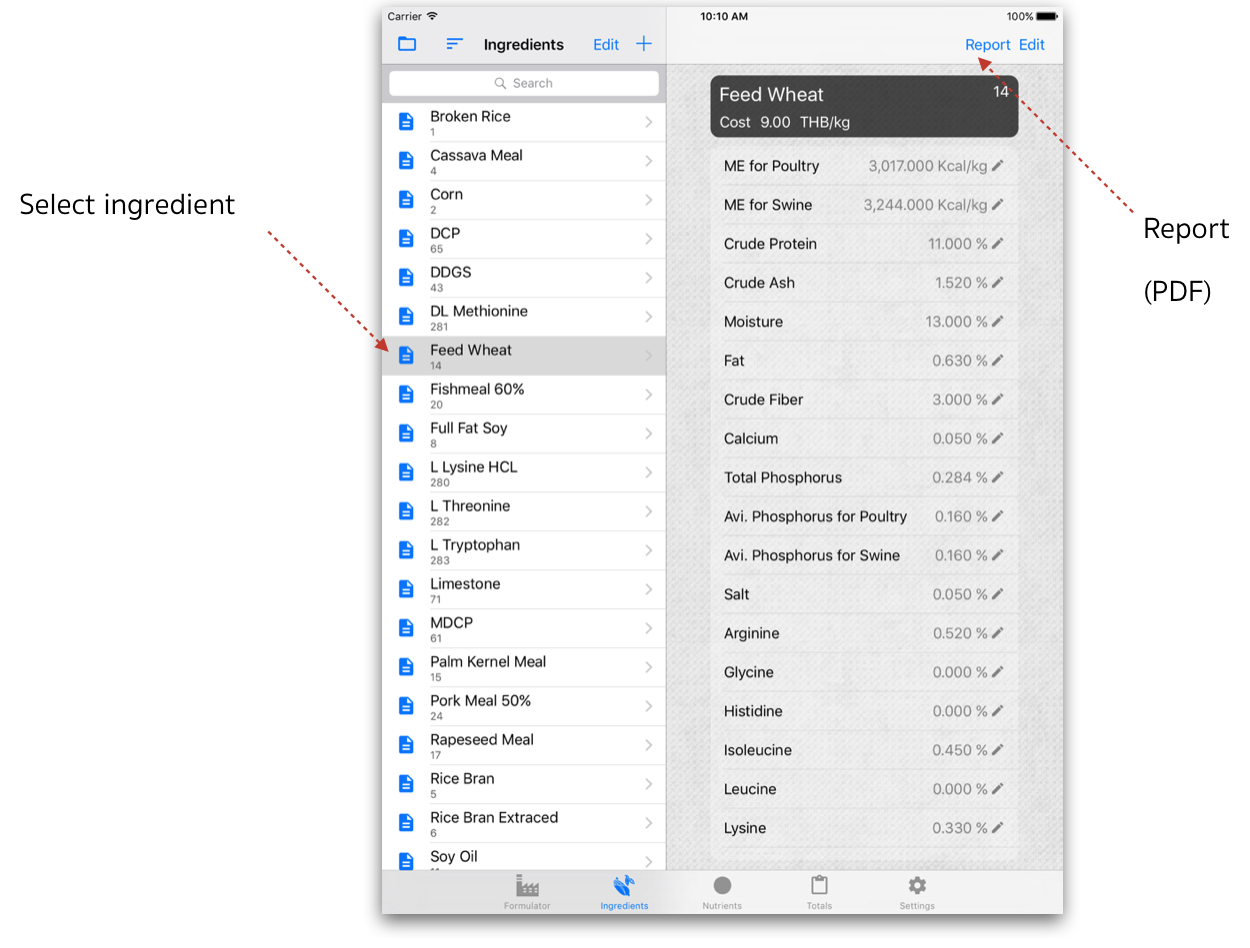 2. Report Options - Screen, you can show/hide the column then touch on Done to see the report.
3. Screen will display the report.
2. Report Options - Screen, you can show/hide the column then touch on Done to see the report.
3. Screen will display the report.
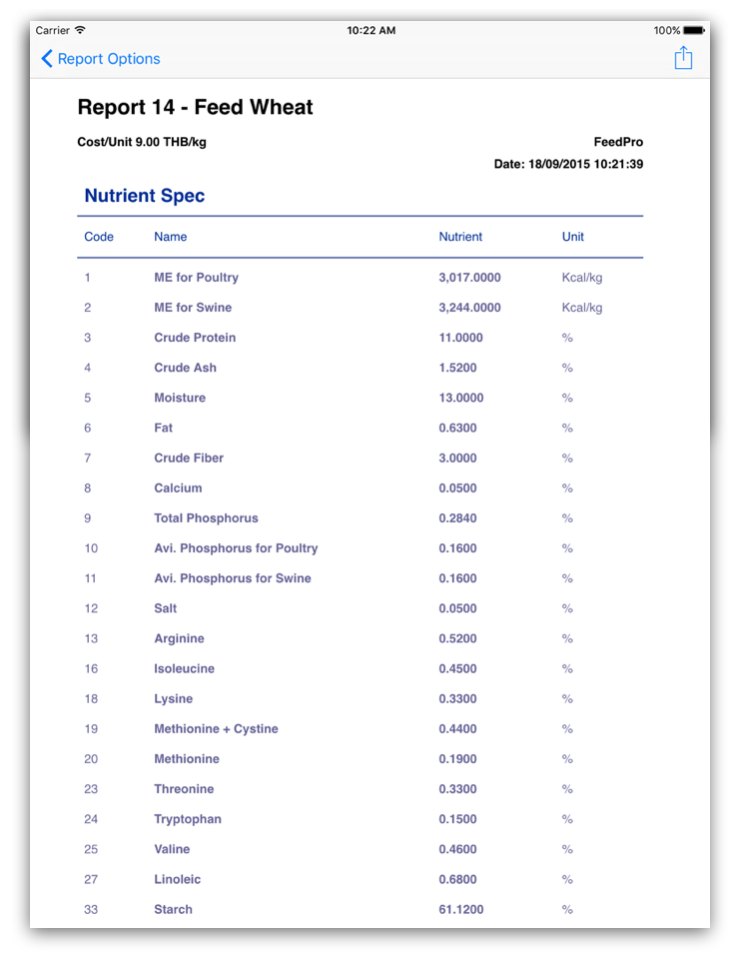 4. Touch on
  to share/send PDF report.