Feed Pro
Purchase Feed Pro
Purchase requirement
1. Apple ID 2. Registered FeedPro ID 3. Internet connectionPurchase Instruction
1. Go to Tab Settings 2. On Settings choose Purchase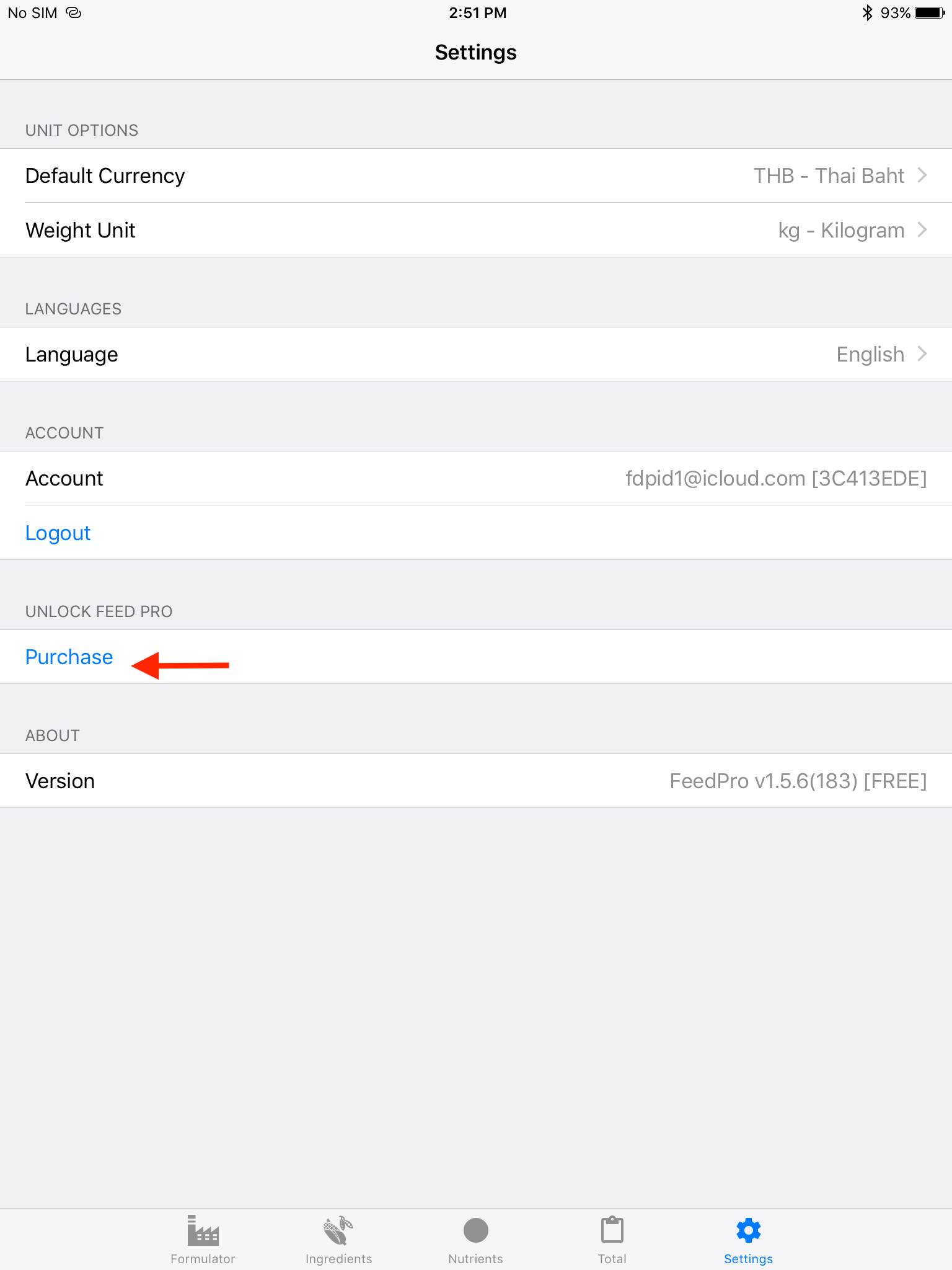 3. Purchase full version of Feed Pro
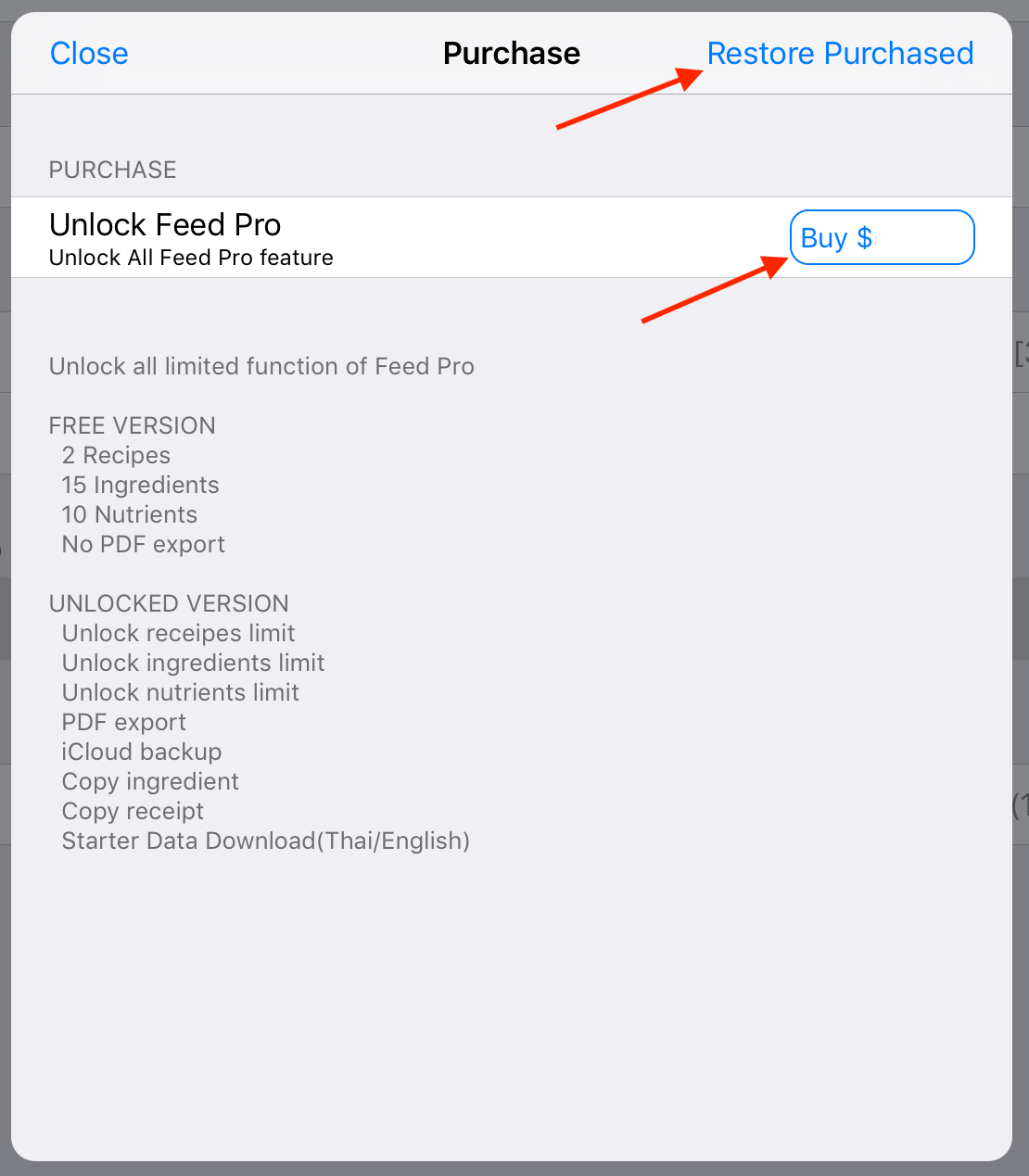 3.1) In case; Already purchased Feed Pro, choose on Restore Purchased
3.2) In case; First time purchase choose on Buy at product row; Confirm dialog showed.
3.1) In case; Already purchased Feed Pro, choose on Restore Purchased
3.2) In case; First time purchase choose on Buy at product row; Confirm dialog showed.
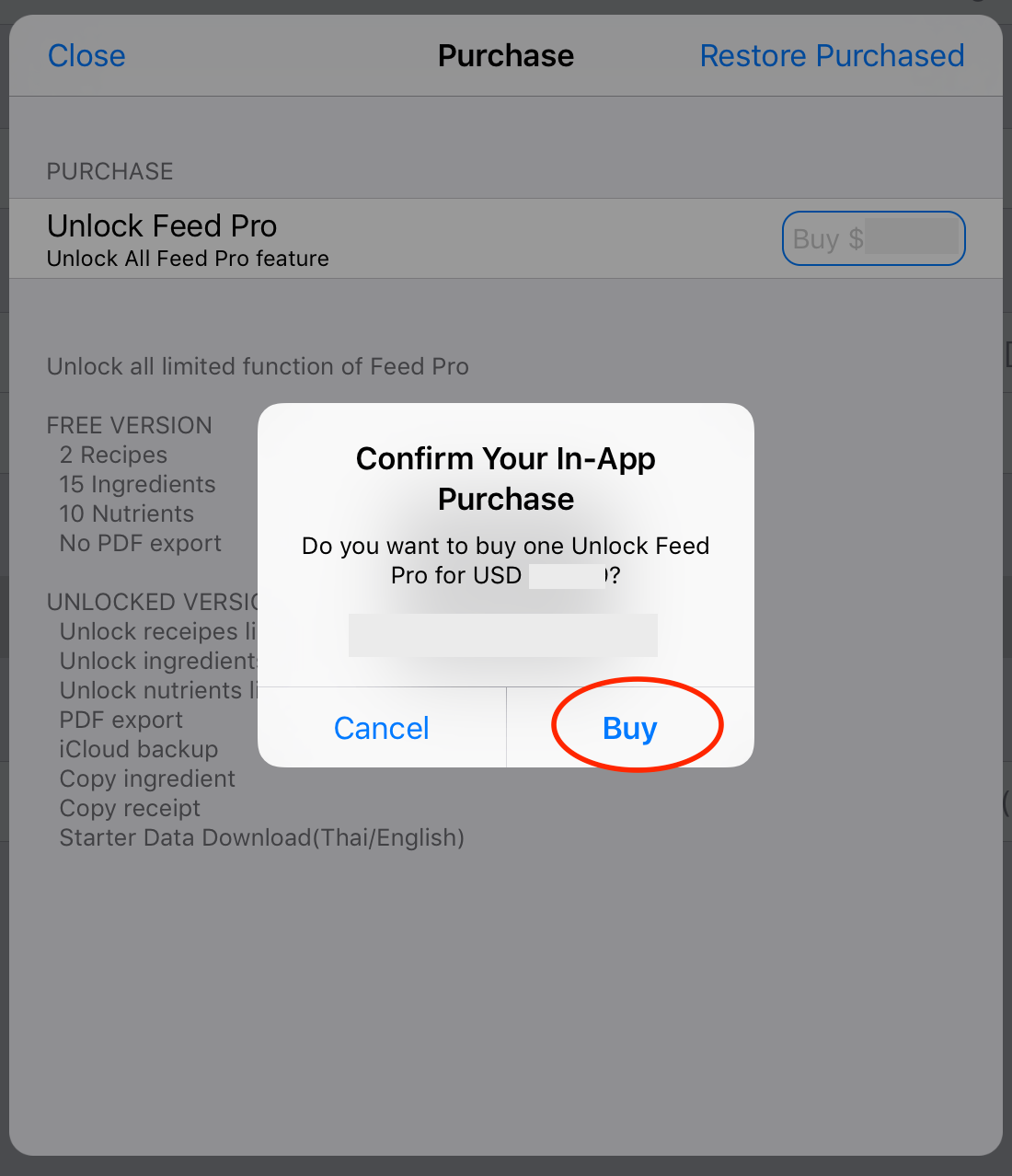 3.2.1) iTunes may be ask for Apple ID as Apple instructions (iTunes Store)
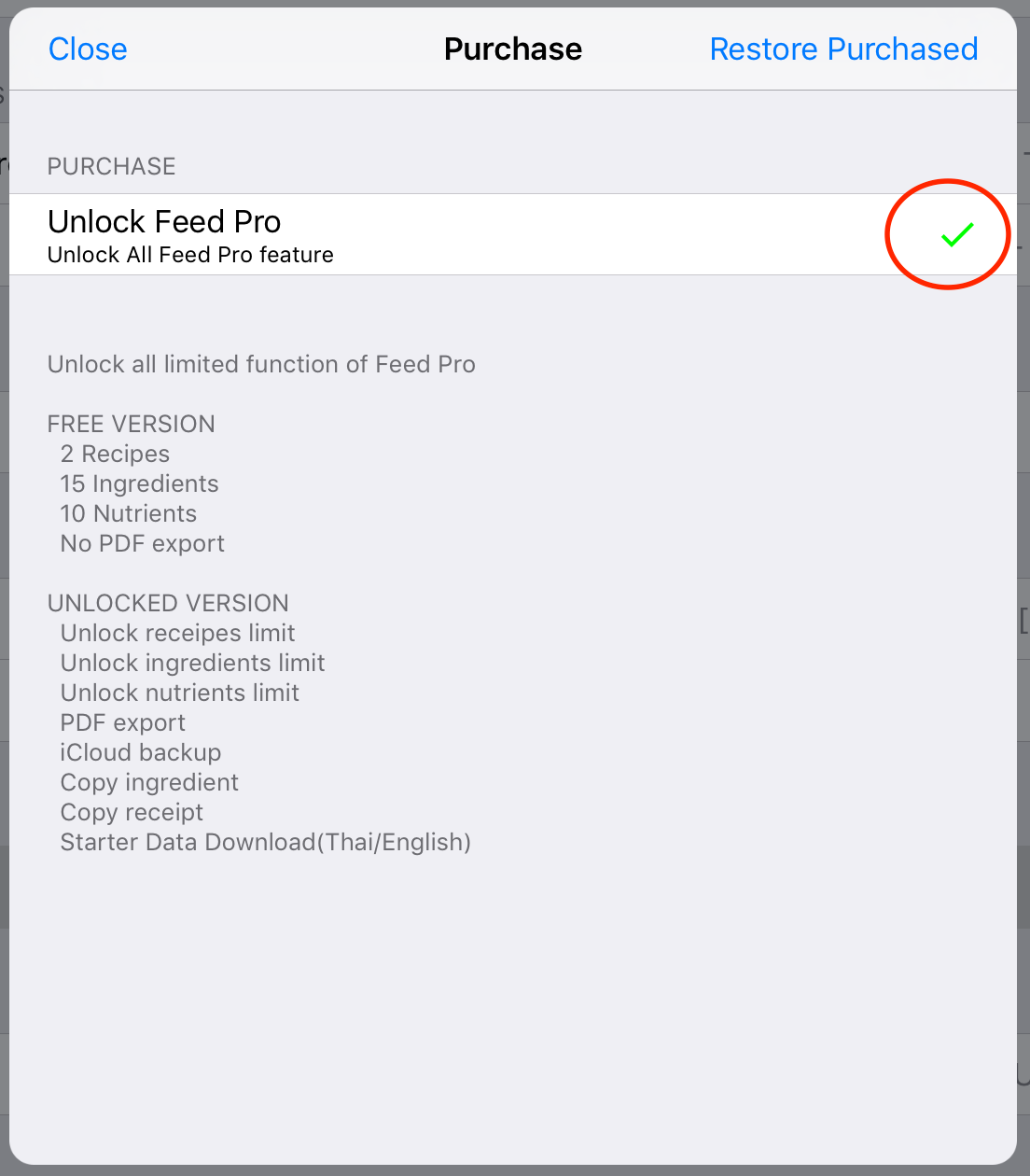
4. When completed purchase icon will show as below.
3.2.1) iTunes may be ask for Apple ID as Apple instructions (iTunes Store)
4. When completed purchase icon will show as below.