
Feed Pro
9. Recipe Report
REPORT RUN PAGE OPTIONS:
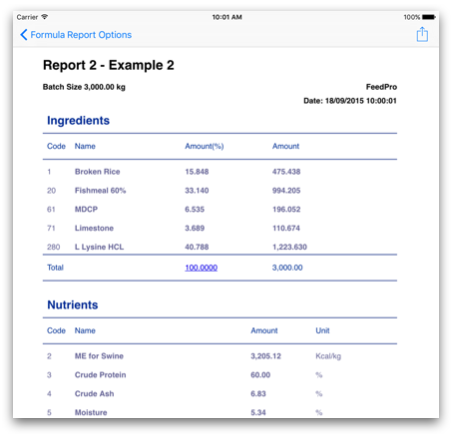
Customize the report run page to show only your specific information.- Report will not show ingredient or nutrient specifications that has 0 amount.
- Ingredient and nutrient specification lists in the report will be sorted in the same order as formulator view.
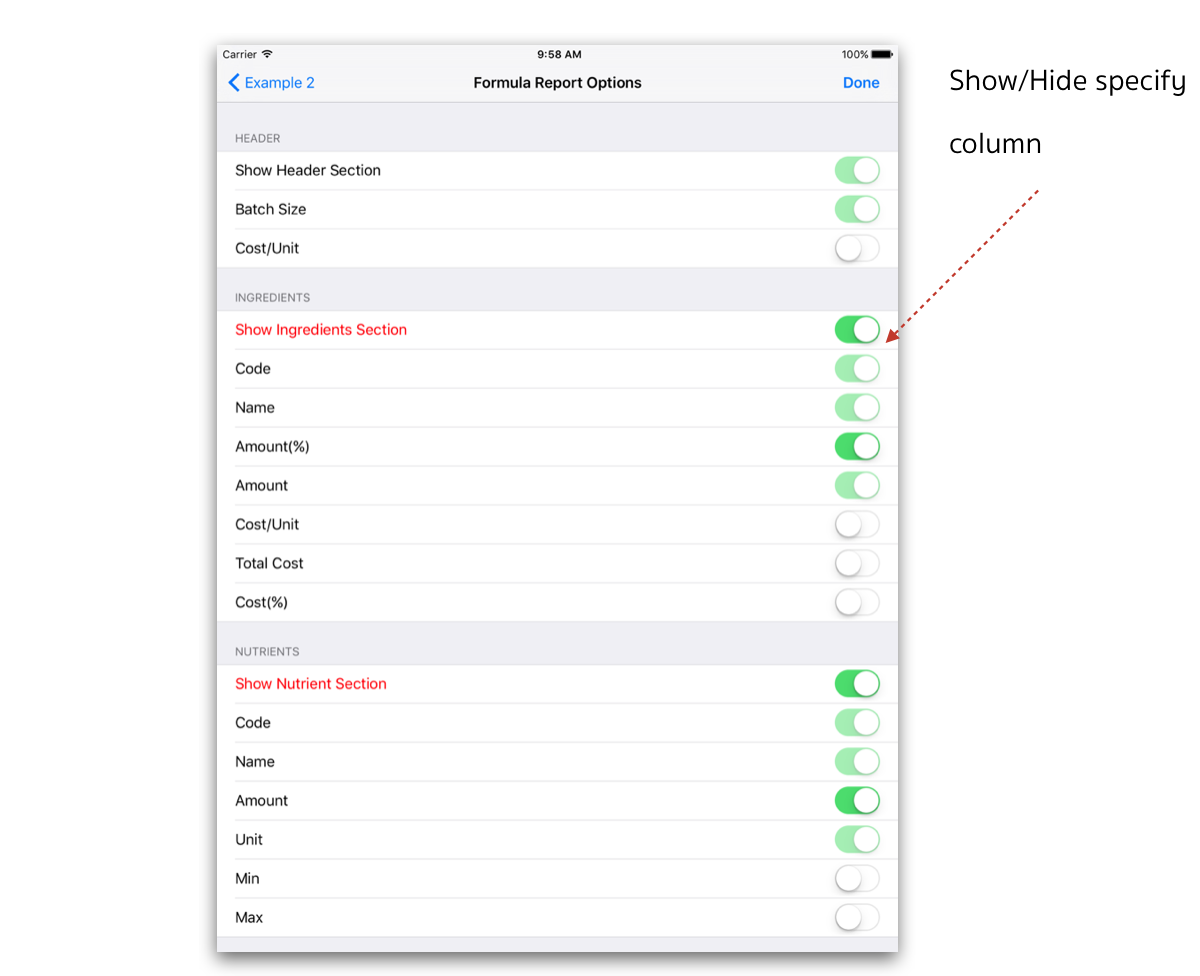
- You can show/hide the column of report for example, Cost/Unit, Ingredient’s cost.
SETTING OPTIONS:
1. Touch on Report to show report options page. You can touch on Sort to order ingredients or nutrient spec rows.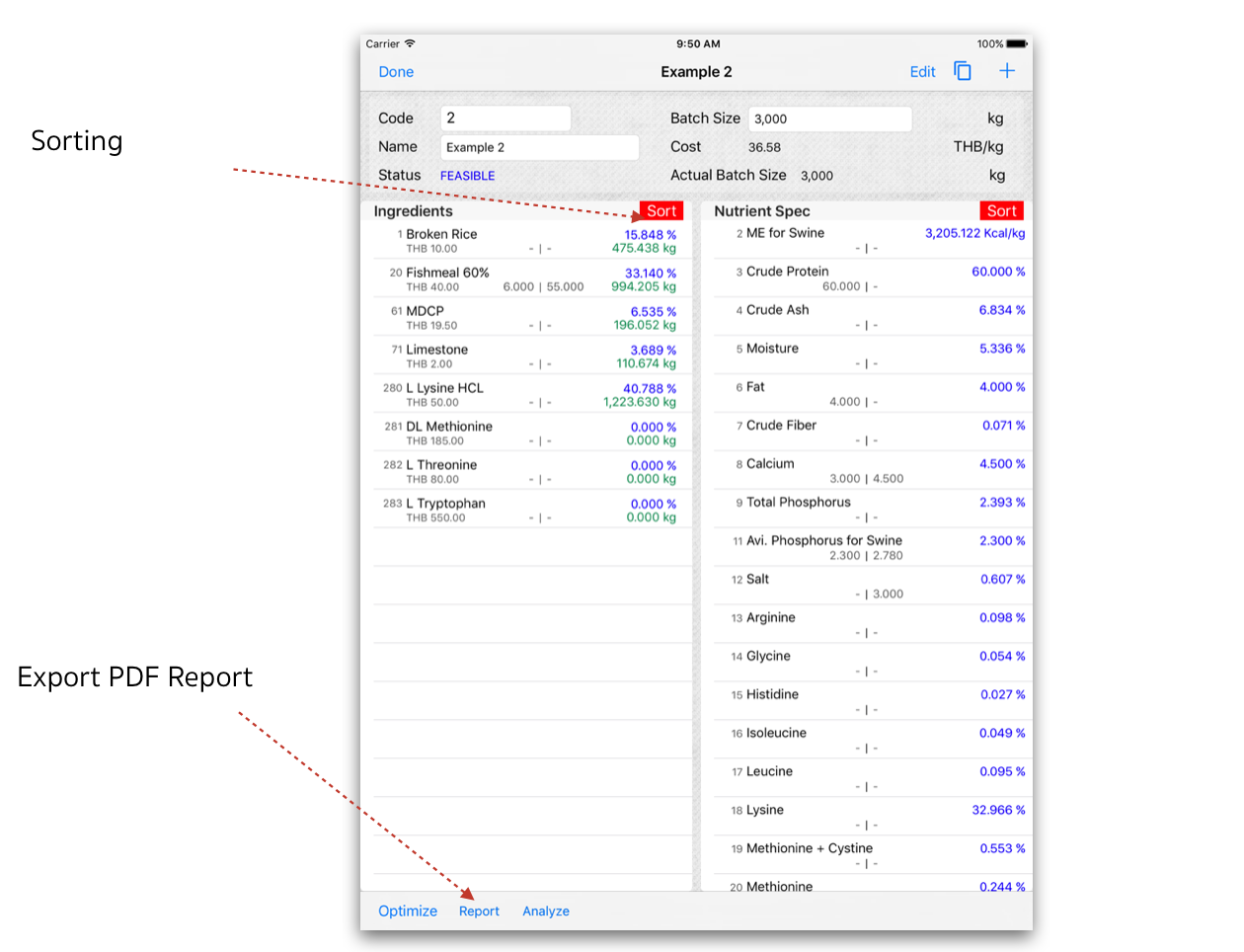 2. Formula Report Options - Screen will display, touch on switch control to show/hide selected column then touch on Done to see report.
 3. Report will display according to selected options. User can send via email or export as PDF to the supported Apps.
 4. Touch on
  to share/send the report via the supported Apps.