Feed Pro
5. Add/Edit/Copy ingredients
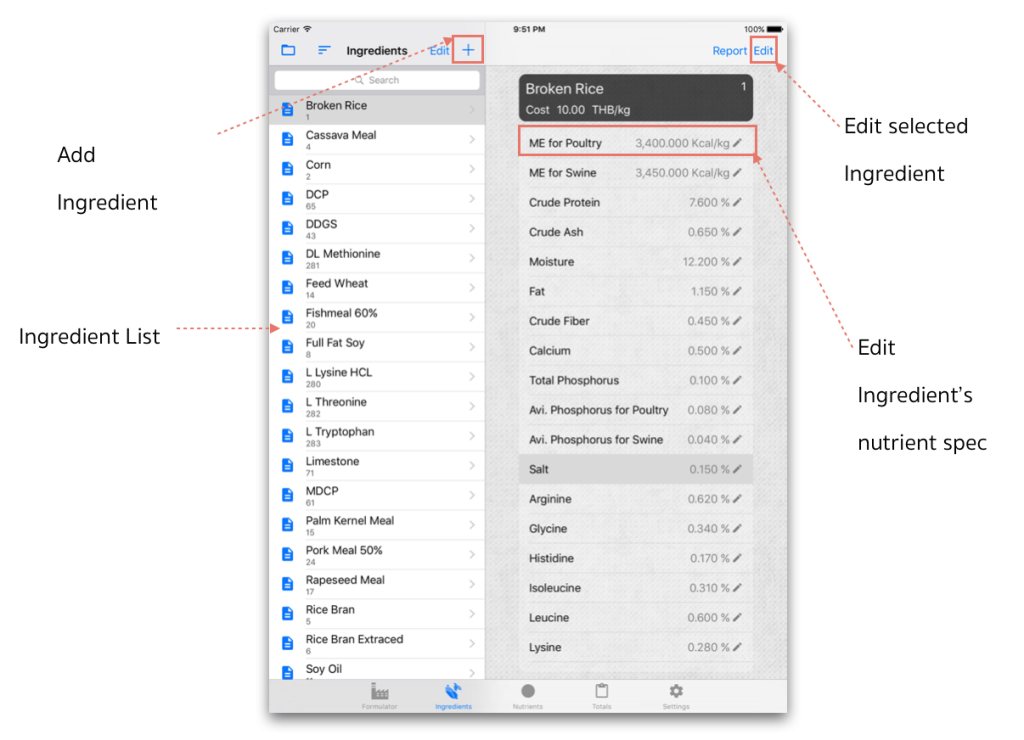
Input nutrient data to your existing item of ingredients to keep them as the Ingredient database.
 to manage each ingredient.
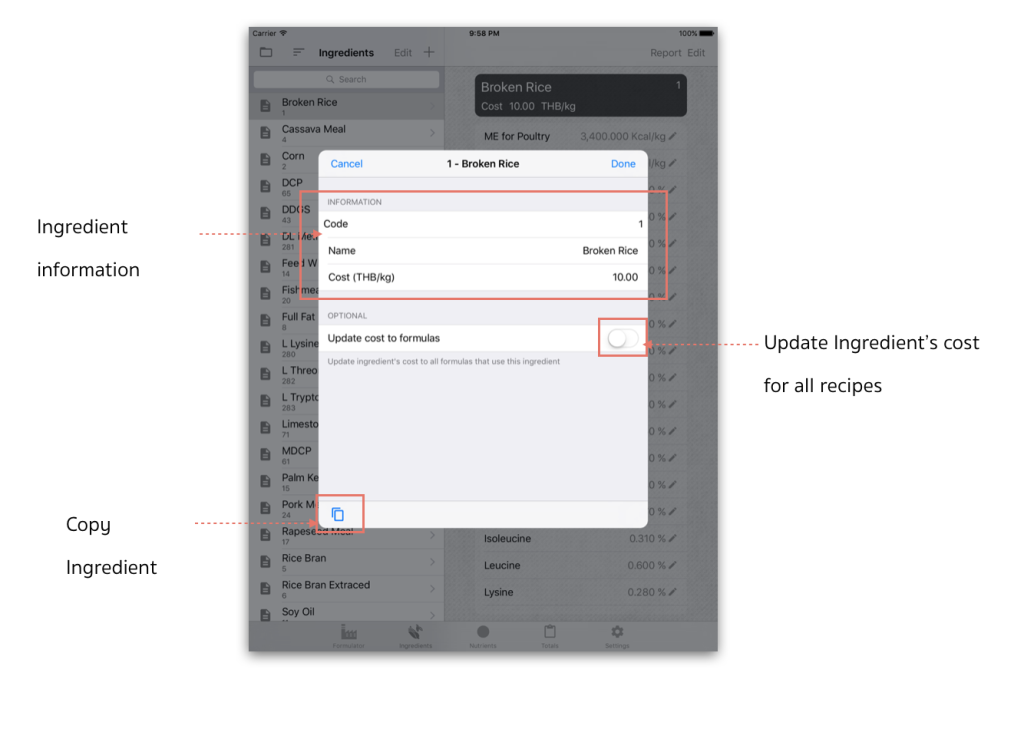
 2.When touch on Edit/Add "Ingredient", the edit dialog will automatically pop-up;
- Code - Ingredient's code
- Name - Ingredient's name
- Cost - Ingredient's Cost/Unit
- Update cost to formulas - enable this option to update Ingredient cost of all formulas that used this Ingredient.
- Copy Ingredient - to copy ingredient and its nutrient to create new Ingredient.
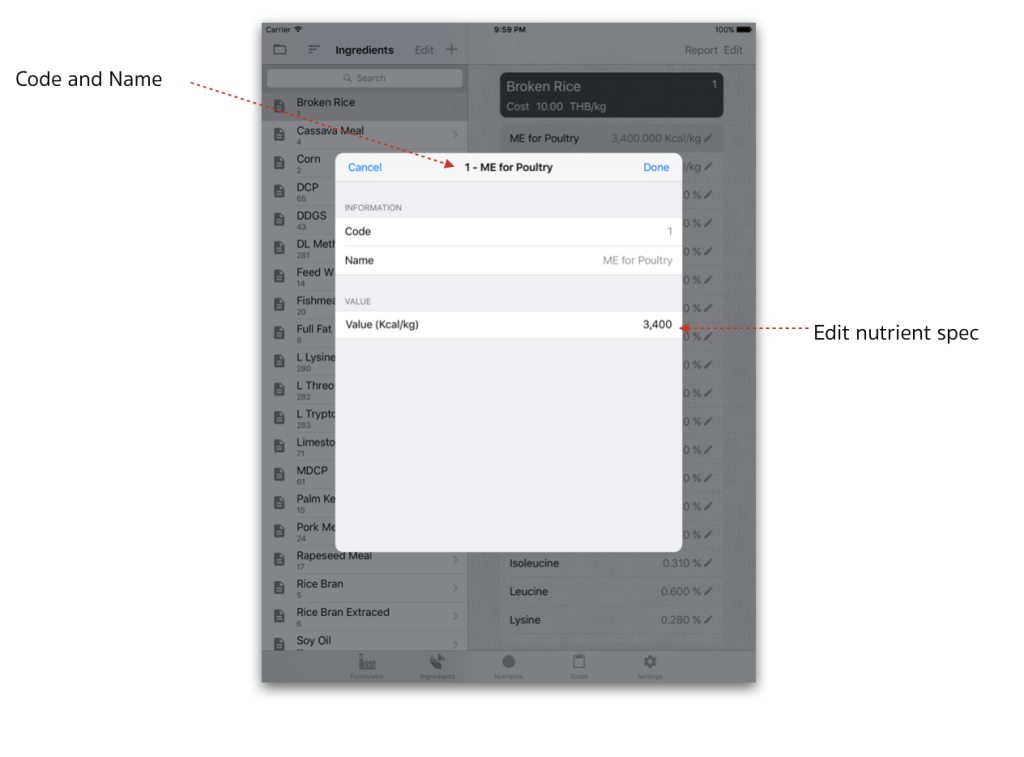
 3. Touch on each nutrient to edit its nutrient value, see the edit panel described below:
Value - change nutrient value of selected Ingredient.
Then touch on Done to save (or Cancel close without save).