
Feed Pro
7. Ingredient Recipes
Specify ingredients constraint for optimal cost.
 1.2 Select Ingredients from list.
 2.2 Then touch on Done to save.
2.3 After specify all constraints, touch on Optimize for calculation, if all constraints are feasible the status FEASIBLE will notify.
2.2 Then touch on Done to save.
2.3 After specify all constraints, touch on Optimize for calculation, if all constraints are feasible the status FEASIBLE will notify.
1.ADD INGREDIENTS TO RECIPE
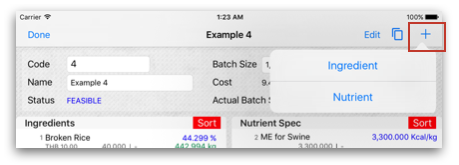
1.1 On Formulator View touch on + then select Ingredient to add it into recipe.
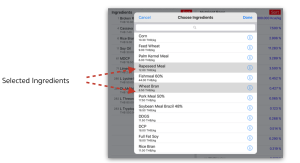
1.2 Select Ingredients from list.
2. SPECIFY INGREDIENT CONSTRAINT
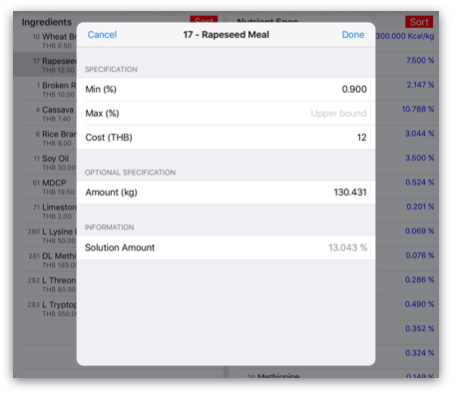
2.1 To specify constraint for each ingredient you can touch on Ingredient record to input data describe as follow:2.1.1 Min - Lower bound of ingredient’s amount(%). Example, setting Min of Rapeseed Meal = 0.9% then Rapeseed Meal used in recipe not lower than 0.9%
2.1.2 Max - Upper bound of ingredient’s amount(%). Example, setting Max of Broken Rice = 42% then Broken Rice used in recipe not over than 42%
2.1.3 Cost - cost per unit of ingredient for optimization process.
2.1.4 Amount - for tuning amount of ingredient in the batch weight.
2.2 Then touch on Done to save.
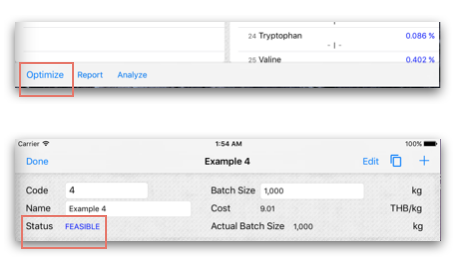
2.3 After specify all constraints, touch on Optimize for calculation, if all constraints are feasible the status FEASIBLE will notify.
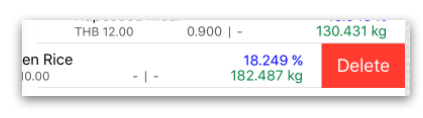
3. DELETE INGREDIENTS IN RECIPE
3.1 Slide-left on ingredient’s row to delete. Then touch on Optimize to re-calculate.