
Feed Pro
6. Recipe Specifications
Exploit your knowledge and experience in animal nutrition and feed formulation by generating recipe specifications to balance the quality and cost of your feeds. Input the nutrient requirements for each feed and select the ingredients which are available either in your storage or local market.
You may optimize and compare the cost and composition with your last recipe, if it satisfies you, then save the recipe specification and generate the Solution Report. You can store the recipe and copy it for your further use.
Add/Edit Recipe
1. To add/edit recipe go to tab Formulator. Touch "+" to add the new recipe,or tab item from the list then touch on Edit application to view and edit its formula.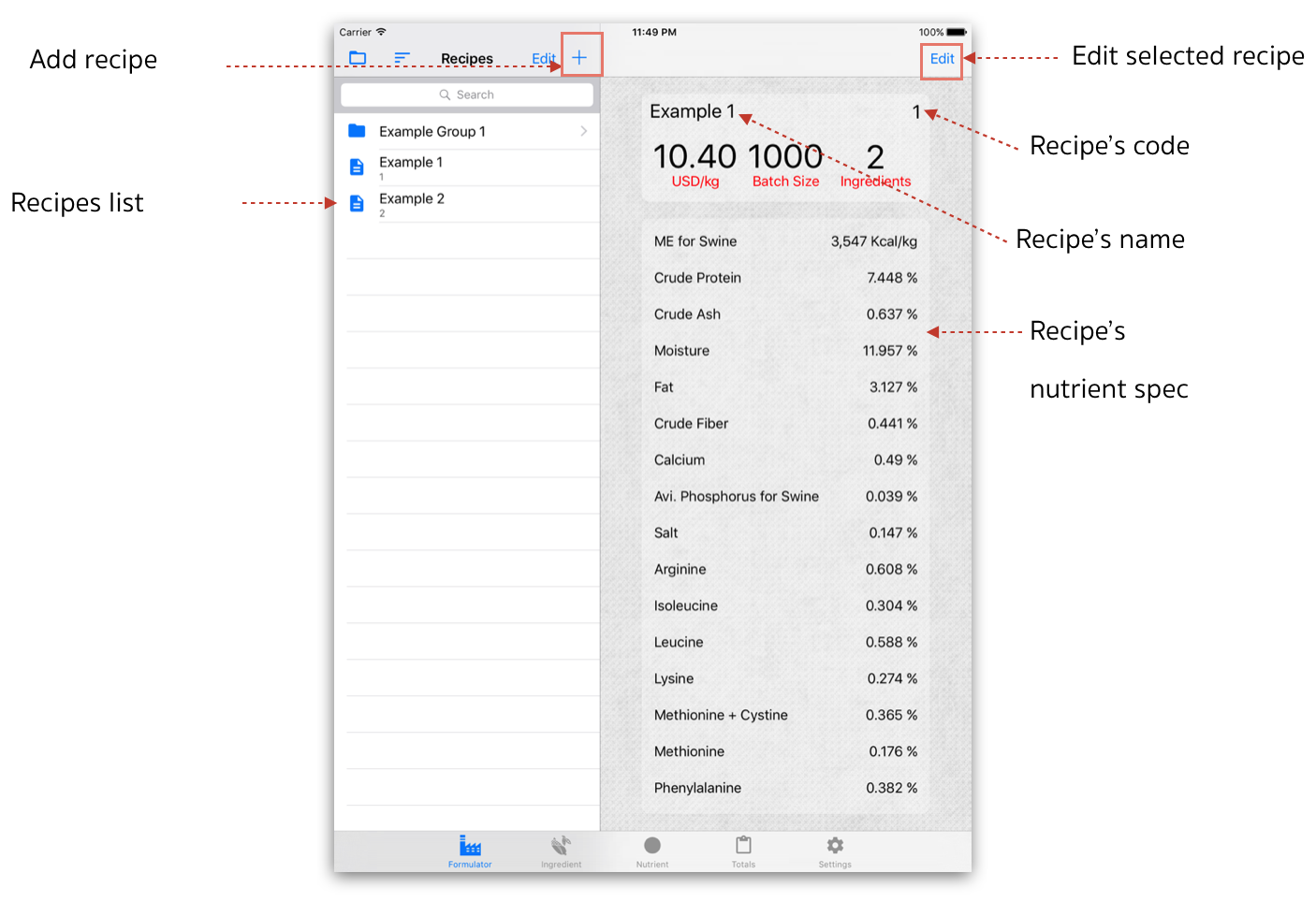
Formulator Screen
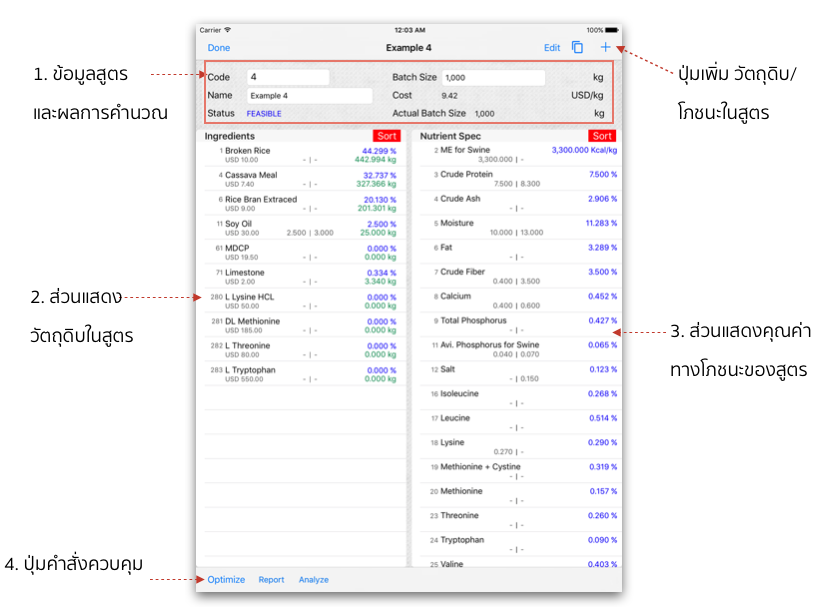
1.Recipes information and result
Recipe information and its constraint for optimal solution will be edited according to the new data of various requirements for nutrient spec and ingredient data. Once you are satisfied with the recipe, touch on Done to store solution.1. Recipe’s information section; enter/edit your required data:
1.1 Code - recipe’s code. 1.2 Name - recipe’s name. 1.3 Batch Size - production batch weights.
2. Recipe’s optimised status will notify:
2.1 Status - shown optimized status when touch on Optimize button.
2.1.1 FEASIBLE - recipe constraint is feasible. 2.1.2 INFEASIBLE - recipe constraint is infeasible.
2.2 Cost - Calculated cost of feasible recipe. 2.3 Actual Batch Size - Actual batch weight of used Ingredients.
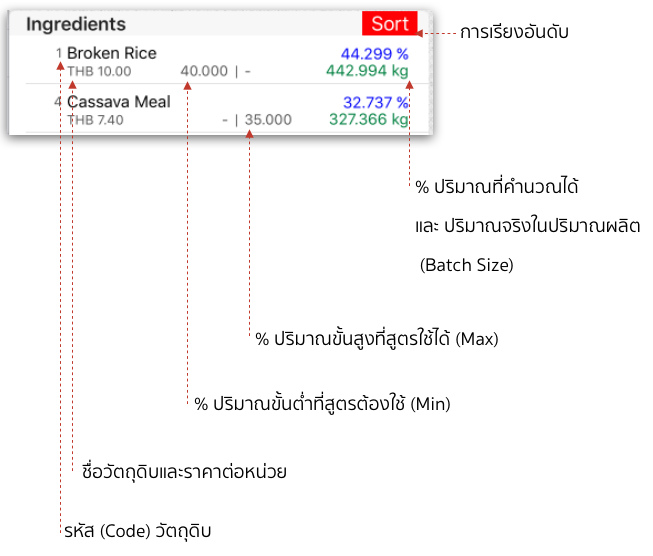
2. Ingredient row.
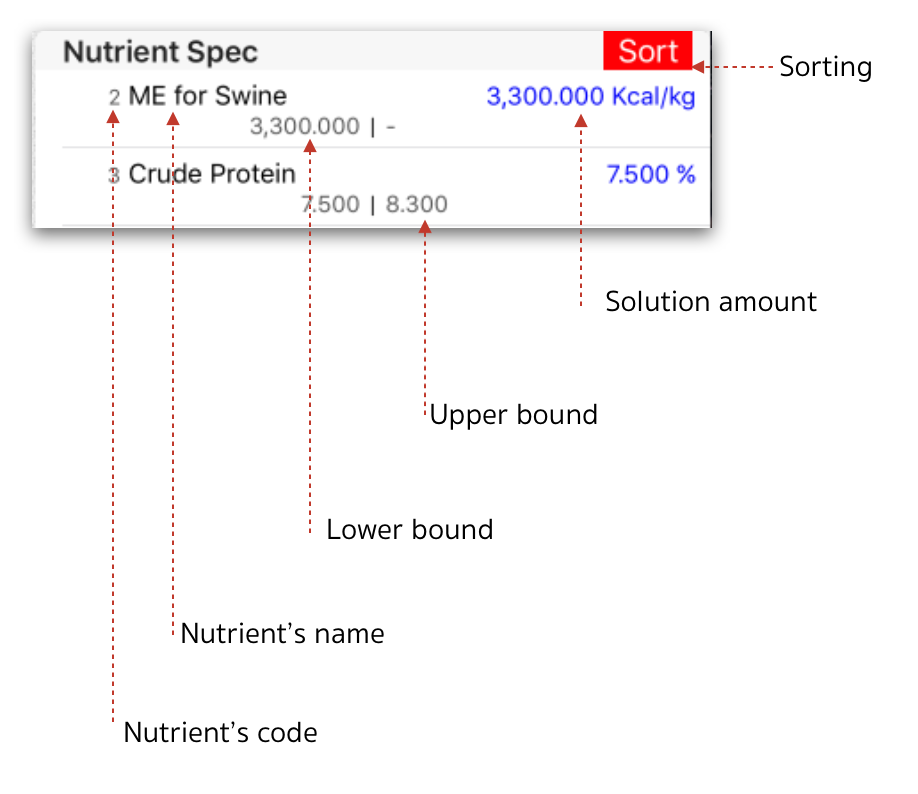
3. Nutrient Spec row.
4.Action button
1. Optimize The Lowest cost optimization related to Ingredients and nutrient specification constraints.
2. Report Summary view of recipe then export in PDF to share/print or copy to the available apps.
3. Analyse Recipe Analyze view of amount range and cost range.